Build an annual audit plan you can defend.
Go from risk scores to a scheduled, resourced annual plan without leaving the platform.
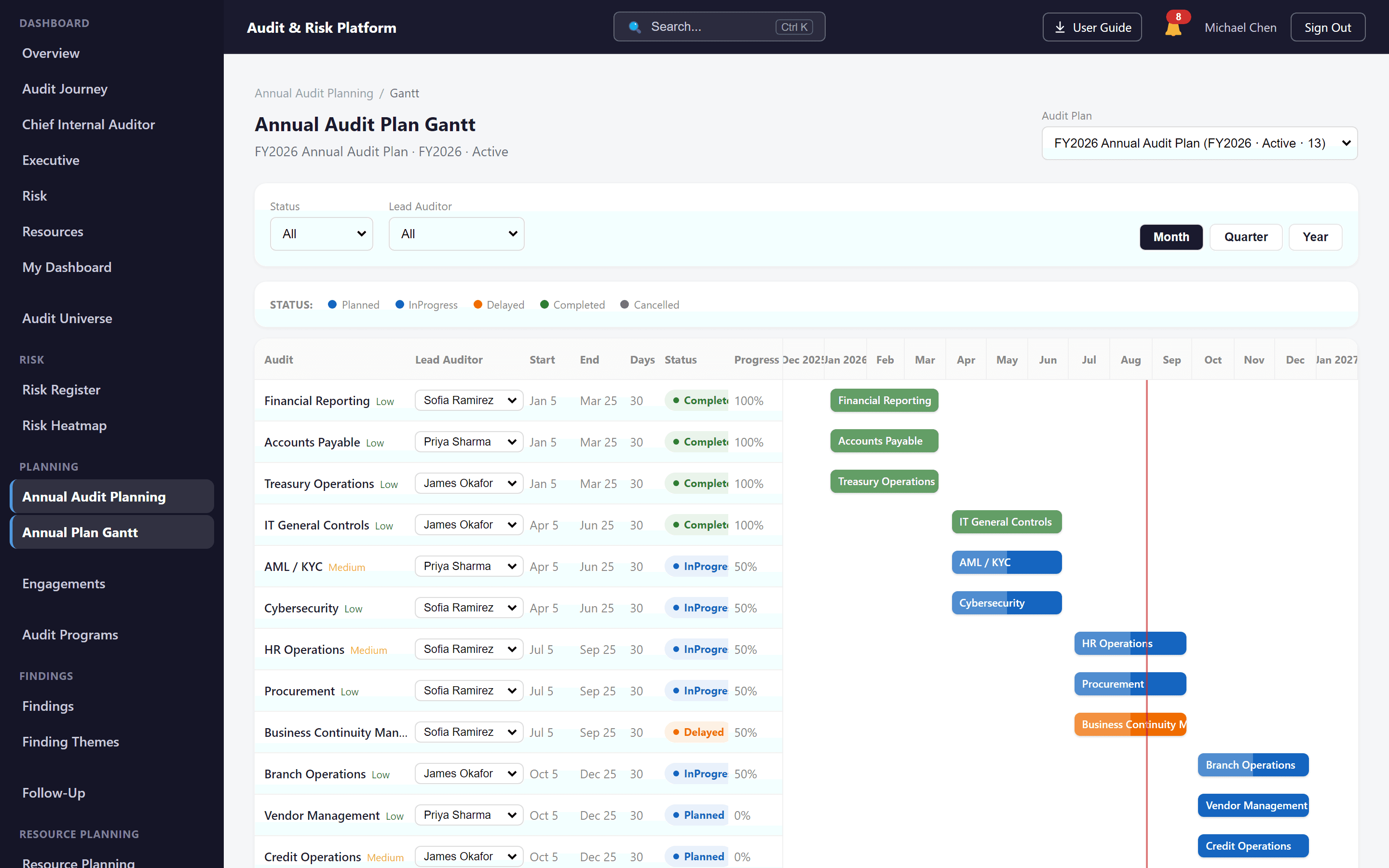
In brief. Risk-based audit planning prioritizes audit work according to assessed risk, organizational objectives and available audit resources, producing a defensible annual audit plan.
The business problem
Annual planning built in a spreadsheet, disconnected from the risk assessment that supposedly informed it, is difficult to justify and painful to update mid-year when priorities shift.
How the platform solves it
Annual audit planning in the platform is directly connected to risk assessment output, so every planned audit traces back to the risk and entity that justified it — and the plan can be adjusted as risk changes.
Capabilities
Risk-informed prioritization
Rank candidate audits using the same risk scores maintained in risk assessment.
Planned audits
Convert prioritized risk into scheduled audits for the plan period.
Scheduling
Sequence planned audits across the audit calendar.
Traceable relationships
Maintain a clear line from risk, to entity, to planned audit — not a disconnected list.
Workflow
- 1Pull prioritized risk from risk assessment.
- 2Select and sequence audits for the plan period.
- 3Schedule planned audits across the calendar.
- 4Track the plan as engagements are opened against it.
Business benefits
- A plan that can be explained and defended, not just presented
- Faster adjustments when risk or priorities shift
- One system connecting risk, plan and execution
Related capabilities
In the audit lifecycle, audit planning follows Risk Assessment and leads into Audit Execution. See the full platform overview or compare packages.
See the Audit & Risk Platform in action.
Watch the demo or talk to the team to see how the platform fits your audit function.
Prefer a live walkthrough? Book a demo