Close the loop from finding to remediation.
A finding that isn't followed up isn't really closed. Track every finding to real closure.
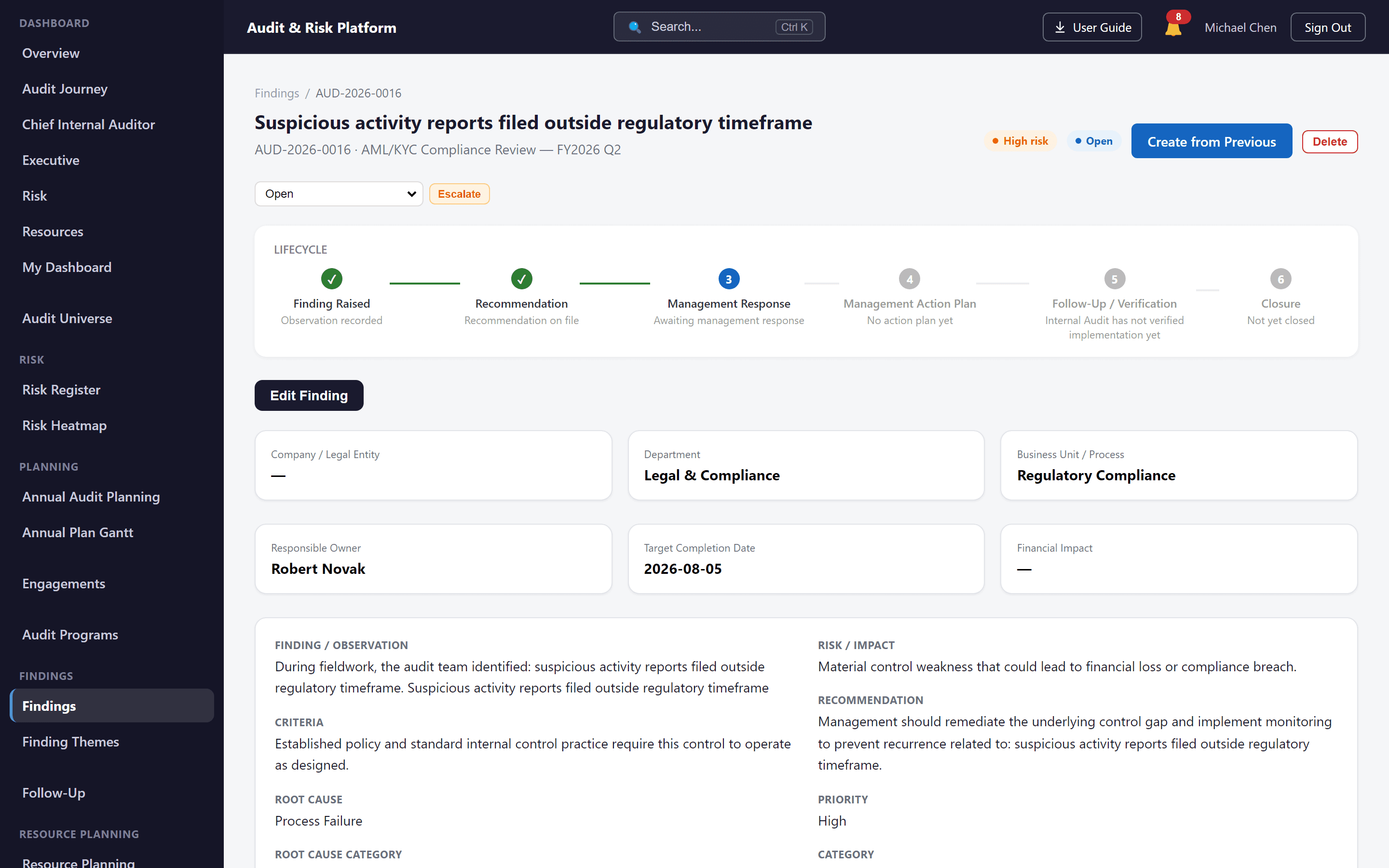
In brief. Findings management records the issues an engagement identifies, with severity, ownership and agreed actions; follow-up tracks those actions through to verified remediation.
The business problem
Findings tracked in a spreadsheet tend to go stale — nobody circles back to confirm management actually did what they committed to, and "closed" ends up meaning "forgotten."
How the platform solves it
Findings are logged with severity and ownership, linked to a management action plan, and tracked through follow-up reviews until remediation is verified and the finding can be genuinely closed.
Capabilities
Findings
Record findings with severity and clear ownership.
Management action plans
Capture the agreed remediation and the owner responsible for it.
Follow-up reviews & actions
Track remediation progress through structured follow-up reviews.
Status tracking & closure
Monitor status from open through remediation to closure, with reporting throughout.
Workflow
- 1Finding
- 2Management Action
- 3Follow-Up
- 4Closure / Reporting
Business benefits
- Accountability that doesn't disappear after the report is issued
- A defensible remediation record for every finding
- Confidence that "closed" actually means closed
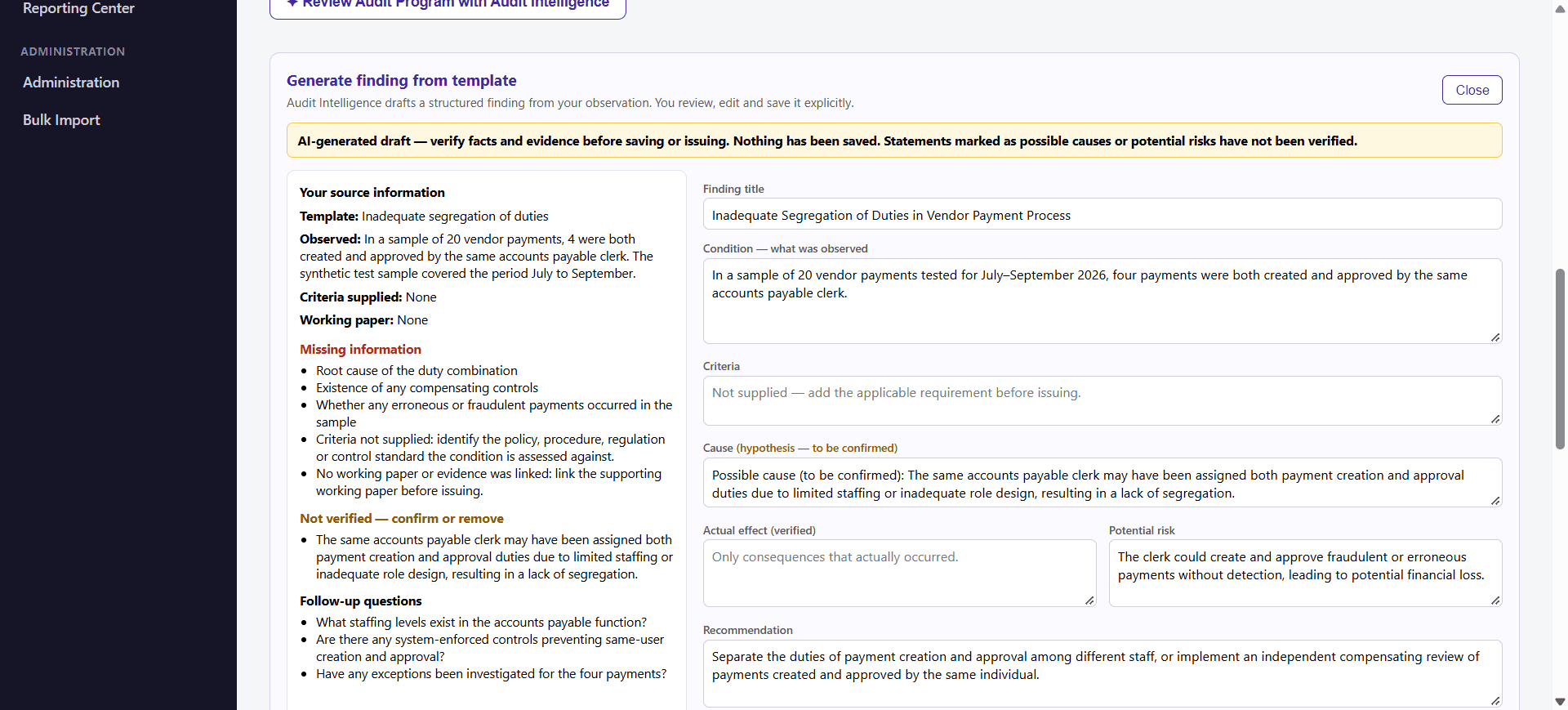
AI assistance. Audit Intelligence can draft a finding from a template and the facts you observed, flagging missing information and unverified statements. You confirm the facts and evidence before saving, and the finding is saved as a draft. AI does not approve or issue findings. Learn about Audit Intelligence.
Related capabilities
In the audit lifecycle, findings & follow-up follows Audit Execution and leads into Dashboards & Reporting. See the full platform overview or compare packages.
See the Audit & Risk Platform in action.
Watch the demo or talk to the team to see how the platform fits your audit function.
Prefer a live walkthrough? Book a demo